
Altegio now offers the ability to view analytics with key performance indicators (KPIs) for receptionists. Receptionists can track their work performance directly in the Altegio mobile app.
Important
– Statistics are generated only for team members with the “Receptionist” role.
– If team member is not assigned the receptionist role, you need to assign it in the team member settings or in the Billing > Subscription > Management section.
– Statistics are only available for team members with the “Receptionist” role.
– Each receptionist can only view their own personal statistics in the mobile app.
– If a receptionist does not have access rights to the “Analytics” section, they will only be able to see the “My Analytics” report, with other reports unavailable.
How to Use the Report #
- Open the main menu by tapping the three-line button in the lower right corner.
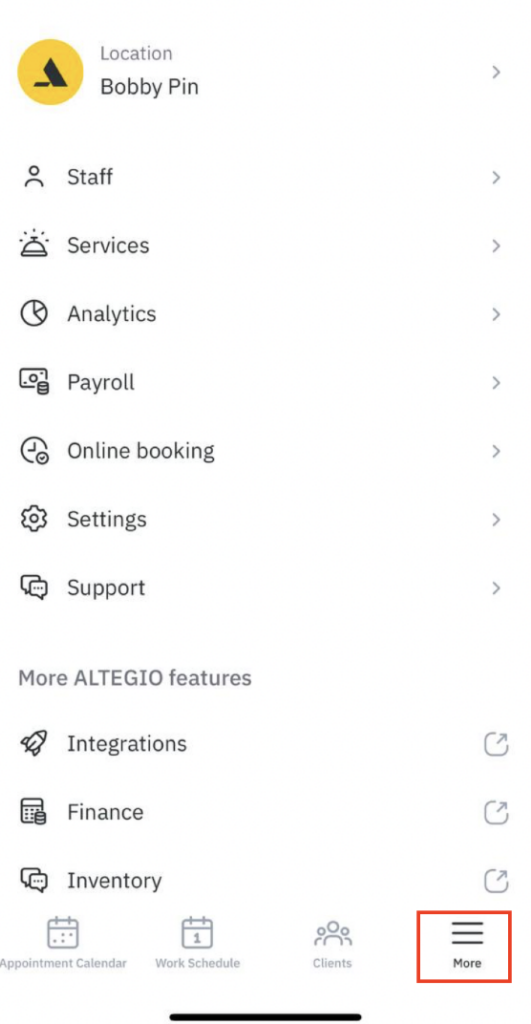
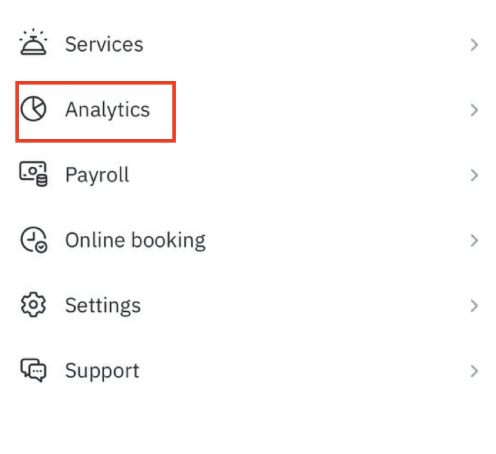
- Navigate to the “Analytics” section.
- Select the “My Analytics” report and choose the desired period.
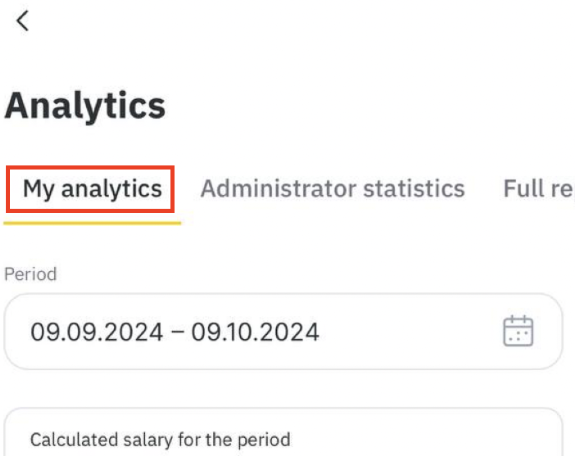
4. The data will be displayed below in infographic blocks.
Data Displayed in the Report #
- Accrued payments to the receptionist.
- The number of completed bookings created by the receptionist—bookings marked as “Arrived” that were created by the receptionist.
- Revenue from paid bookings created by the receptionist—the total sum of all paid bookings created by the receptionist.
- The number of clients booked by the receptionist—only clients booked by the receptionist are counted.
- Operational bookings—bookings made for a future date on the day the service was provided.
- Clients with a booking status of “Arrived”—the number of clients marked as “Arrived” on a specific day.
- Operational bookings for the period—the number of clients from the above group for whom the receptionist made a booking for a future date. The creation date of the booking is used for this metric.
- Rebooking of no-show clients—bookings for clients who previously did not show up.
- Clients with a booking status of “No-show”—the number of clients marked as “No-show” on a specific day.
- Operational bookings for the period—the number of clients from the above group for whom the receptionist made a booking for a future date. The creation date of the booking is used for this metric.