What is it, and why is it needed? #
The word “widget” refers to a small software application. Widgets can be icons, drop-down menus, forms, scroll bars, or information pop-ups. Often, people use “widget” to mean not the app itself, but a visual or text element.
Many websites use widgets to improve their interface and make things as convenient as possible for users.
The Altegio online booking widget is a form that lets clients choose a convenient date and time, an employee, and/or a service. You can embed the widget on your website and on social media, and its appearance can be easily customized to fit your business needs.
The online booking widget may also be called the online booking form.
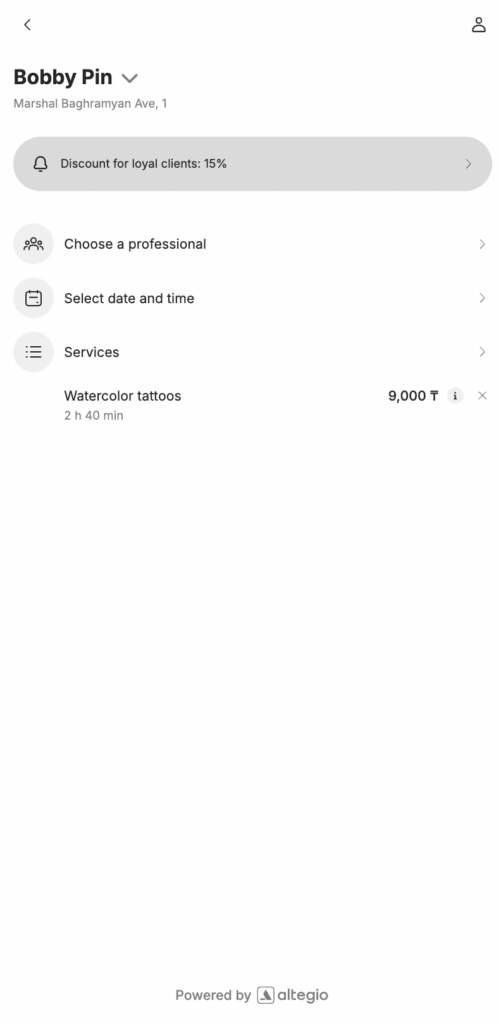
An online booking link is a link that opens the online booking widget. You can place these links on your website, on social media, or send them to clients in notifications.
For example, you can add an online booking link to your website as a button, or place it on Instagram using the Book now button.
For more details on how to add the link to your website and Instagram, see the articles Installing online booking on a website (custom button) and Altegio integration for booking via Instagram and Facebook.
Setup and editing #
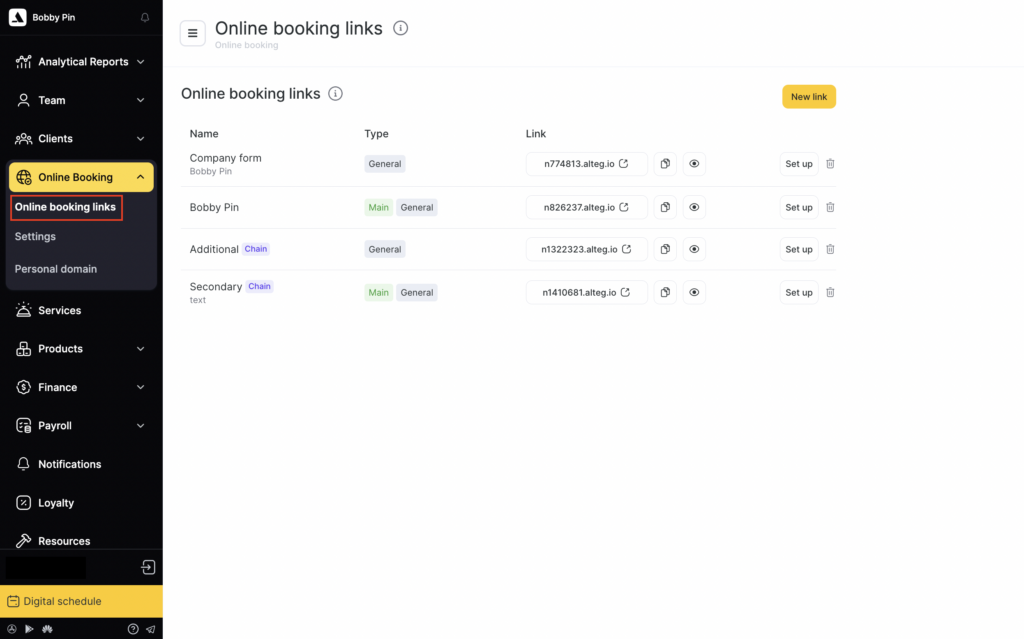
- To add a new online booking link, go to Administration mode go to Online booking > Online booking links and click New link. You can find a more detailed description here.
- To edit the information in the online booking form, click its name or click Set up on the right. In the window that opens, make the necessary changes and click Save.
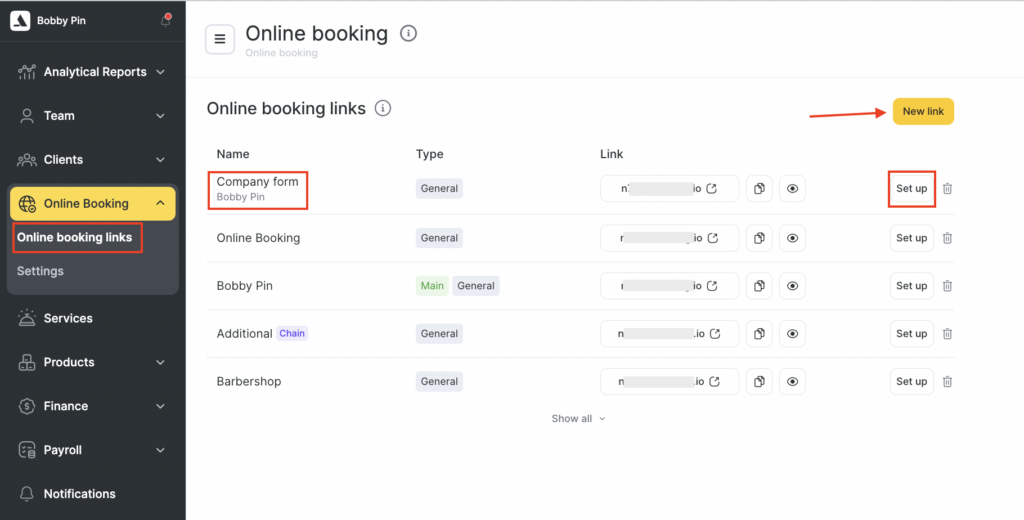
- To delete a form, click the trash icon.
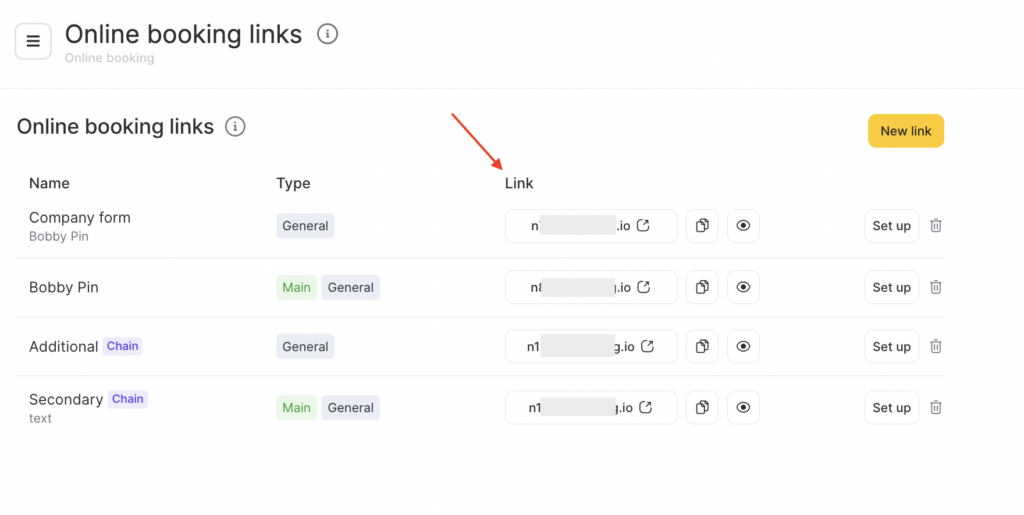
- If you want to preview the online booking widget, simply click the link under the Link heading.