What is it and why do you need it? #
The Altegio mobile app lets you quickly and conveniently access appointments and key statistics from anywhere it’s inconvenient to use a computer. You don’t need to worry if internet access is lost — you can always view all appointments via the mobile network and, moreover, continue booking clients.
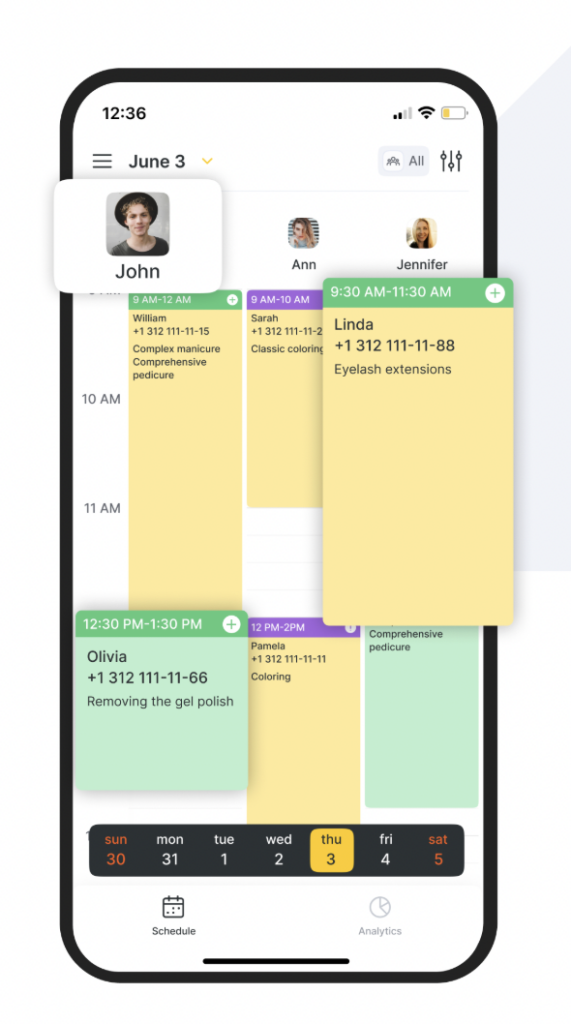
The app makes receptionist’s work easier, saves time, and protects against errors, allowing them to spend more time with clients.
App features #
- View the appointment list for a specific day and a specific team member.
- Create, edit, and cancel appointments.
- Quick and split payment for a visit.
- Apply all loyalty types available in the web version during a visit.
- View statistics for each branch for any day.
- Quickly switch between all branches.
- Configure the appointment calendar display in Day, List, and Week modes, and adjust zoom.
- Give each team member access to view only their own appointments.
- Restrict certain users from editing appointments.
- View payment status. If a visit isn’t fully paid, the receptionist will immediately see how much the client still owes.
- Payment details are the same as in the web version, with the option to cancel a payment.
- Manage the write-off of consumables in a visit. If needed, you can change the composition and quantity of consumables for each service.
- Interact with clients in the Clients section.
- Create and edit team members and services.
- View statistics for any day.
- Create and configure the online booking widget.
- Push notifications about appointment creation, cancellation, and rescheduling.
- View team member salaries.
- The app works correctly on iPad tablets and is suitable for companies that don’t have a computer.
How to start using the app #
- Download the Altegio: business management app:
- Log in or register.
- If you already have an account, enter your login and password and click Log in.
- If you forgot your password, you can restore it using Reset password. To reset your password, enter the phone number or email used to register your Altegio user:
- If you enter a phone number, you will receive a phone call or an SMS.
- If you enter an email, you will receive an email with a code.
- After entering the code, create and confirm a new password.
- If you don’t have an account yet, click Register. In the new window, enter your phone number and email, review the agreement terms and personal data processing, tick the checkbox to continue, then click Register.
3. Configure access to the app for team members. See more in the article.
4. Set up services and team members. See more here and in the article.
5. Set a schedule and start booking in the Appointment Calendar. See more in the article.